Go to the Sitemap Page
Quick Links
Fitness
Competition
Adventure
Stay up to date
Search

Intramural Sports Building

All IMSB basketball courts will be unavailable during the following dates and times: November 13th, 8 PM – 9 PM and November 14th, 9 AM – 9 PM.

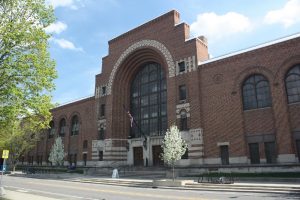
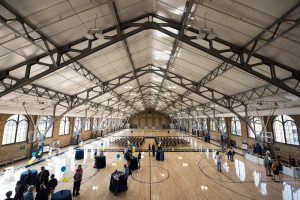
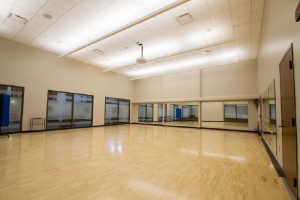
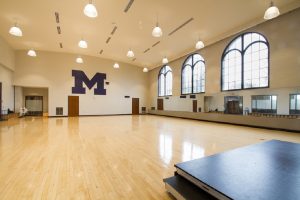
Located on East Hoover Avenue, the newly renovated IMSB has state-of-the-art equipment and amenities. Come here and enjoy the ultimate workout.


Hours

Nov 14 – 18
Sat, Nov 14
9:00 am – 9:00 pm
Sun, Nov 15
9:00 am – 11:00 pm
Mon, Nov 16
7:00 am – 11:00 pm
Tue, Nov 17
7:00 am – 11:00 pm
Wed, Nov 18
7:00 am – 11:00 pm

Video Tour


Facility Access

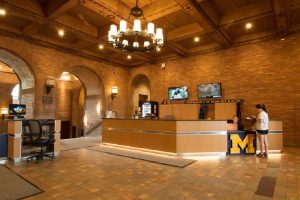
The main entrance is located directly on E. Hoover Ave. in front of Commuter North and Commuter South bus stops. University of Michigan students and Michigan Recreation members must present a valid Mcard or Michigan Recreation Member Card each visit to gain access to a facility.  Visit our Policies for more information on Facility Access.


Activities

There are 11 activities. Expand all into list view.

Basketball

Times Offered

Available during all facility hours, however previously scheduled activities or rentals have priority for space over open basketball.

Details

Basketballs can be checked out at the Michigan Recreation Welcome Center.

Games are played to 11 points by 1’s and 2’s.

Boxing

Times Offered

Two heavy bags are available during all facility hours.

Cardio Exercise

Times Offered

Open exercise available during all facility hours. Check out our cardio-focused Group‑X classes, too.

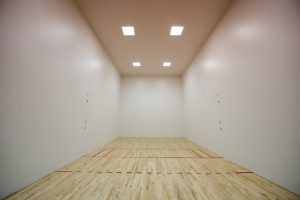
Racquetball

Times Offered

Racquets and balls can be checked out or purchased at the Michigan Recreation Welcome Center.

Games are played to 21 points.

Reservations can be made anytime for play later that day.  Next day reservations are also accepted no more than 72 hours in advance. Court reservations can be made online through our webstore/app, in person or by phone at (734) 763-3562.

Running & Jogging

Times Offered

Eight-lane 400-meter outdoor track located behind the Intramural Sports Building as part of Ferry Field. Track is available while not in use by Athletics. Please reenter through IMSB front doors.

Table Tennis

Times Offered

Available during all facility hours.

Details

Paddles and balls can be checked out at the Michigan Recreation Welcome Center.

Volleyball

Times Offered

Available during the following hours, however schedules are subject to change due to Michigan Recreation programs, special events and reduced facility hours for designated breaks/holidays.

Spring and Summer Open Volleyball Schedule
May 1 – August 27, 2026

  • Monday-Friday: 8:00 AM – 9:00 PM (1 court available)
  • Saturday-Sunday 8:00 AM – 7:00 PM (1 court available)


Details

Volleyballs can be checked out at the Michigan Recreation Welcome Center.

Games are played to 25 points using rally scoring.

Wallyball

Times Offered

Available during all facility hours.

Details

Wallyball can be checked out at the Michigan Recreation Welcome Center.

Games are played to 21 points.

Weight Training

Times Offered

Available during all facility hours.

Adventure Support

Times Offered

Visit the Adventure Leadership Outpost to register for programs, discuss upcoming trips, plan a team experience, get your questions answered, and explore your next adventure.

Digital Game Lounge

Details

The first space in any Michigan Recreation facility dedicated to providing Michigan students with access to recreational gaming and competitive esports programming opened in September 2026. Located on the lowest level of the Intramural Sports Building, the space includes 14 computer stations preloaded with popular gaming titles and related applications. This project was supported throughout by our partners at Student Life Technology Solutions, and UM Information Technology Services

What is in the space?

There are 14 gaming stations, all set up with:

  • Alienware Gaming PCs
    • Intel Ultra 9
    • NVIDIA RTX 5060ti
    • 32gb DDR5 RAM
  • Alienware Gaming monitor
    • 25” 1920x1080p
    • 320hz Refresh Rate
    • 0.5ms Response Time
  • Logitech Gaming Keyboard, Mouse, and Headset

What game titles can I play there?

Most available game titles are free to play and don’t require users to own a copy; they only need a login for the game launcher.

Games currently available are:

  • Apex Legends
  • Call of Duty
  • Counter-Strike 2
  • Deadlock
  • DOTA 2
  • Fortnite
  • Genshin Impact
  • League of Legends
  • Marvel Rivals
  • Osu!
  • Overwatch
  • Rainbow Six Siege
  • Rocket League
  • Starcraft II
  • Teamfight Tactics
  • Valorant

Who can use the computers?

Currently registered students at the University of Michigan – Ann Arbor who have paid their recreation fee for the semester.

How do I log in?

Users will log in via Google, using their University of Michigan Google account. Accounts set up with an email address other than @umich.edu will be permanently disabled.

Can I do my homework there?

No, this space is reserved exclusively for gaming and esports recreation. Other campus labs are available for academic use.

Can I reserve a station?

Currently, drop-in users can use the space on a first-come, first-served basis. The space may occasionally be unavailable for formal Michigan Recreation programming, such as Intramurals.

Are there limits on how long I can play? What about time of day?

Users are limited to 2 hours of use per day. There is also a 15min buffer on their time for logging in, updates, and launching game titles.

Do I have to be a member of Michigan Esports?

Nope! This lounge is for community use and has no requirement that any user be directly involved or a part of the competitive gaming community with Michigan Esports.

Do I have to pay to play?

No, there is no cost for using this space as a drop-in user.

Can I log into my gaming accounts?

Users are required to log in to game accounts using their personal credentials. If a user does not have an account for a game title, they can create one using the game launcher platform.

Can I bring my own mouse, keyboard, and headset?

Users may bring and use their own gaming equipment, but they must not alter or damage the equipment at the station while setting up.

What do I do if I have a technical issue?

The game lounge is monitored, but does not have on-site technical assistance.

If you experience a technical issue, attempt to log out of your session, and the computer will automatically restart. If that does not solve the issue, we recommend that you report the issue to the front desk of the IMSB and utilize another gaming station.

Questions, Thoughts, Concerns?

If you have any questions, thoughts, ideas, concerns, etc. Feel free to email us at [email protected].


Features & Amenities

  • 4 basketball courts
  • 3 racquetball courts
  • 3 wallyball courts
  • Free weights
  • 111 weight machines
  • 130 cardio machines
  • Adventure Leadership Outpost
  • Group exercise
  • Personal training
  • Showers and lockers
  • 14 gaming stations with Alienware PCs

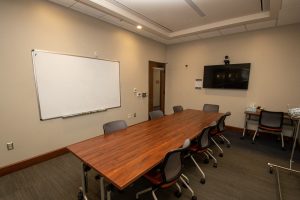
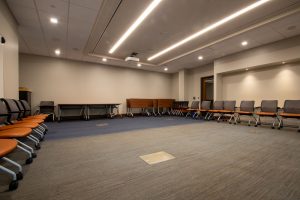
Spaces for rent


Contact Intramural Sports Building